Image 2 AI Image Generator

Create AI images from text prompts or edit existing photos with Image 2. Generate product shots, ad creatives, posters, characters, and branded visuals — all in one workspace.

Reference image0/16

Aspect Ratio

Resolution

Quality

Each reference: +20 credits. First 2000 prompt characters included; +20 per additional 1000 characters (rounded up).

Credits will be automatically refunded if generation fails.

Prompt Templates
Explore more prompts
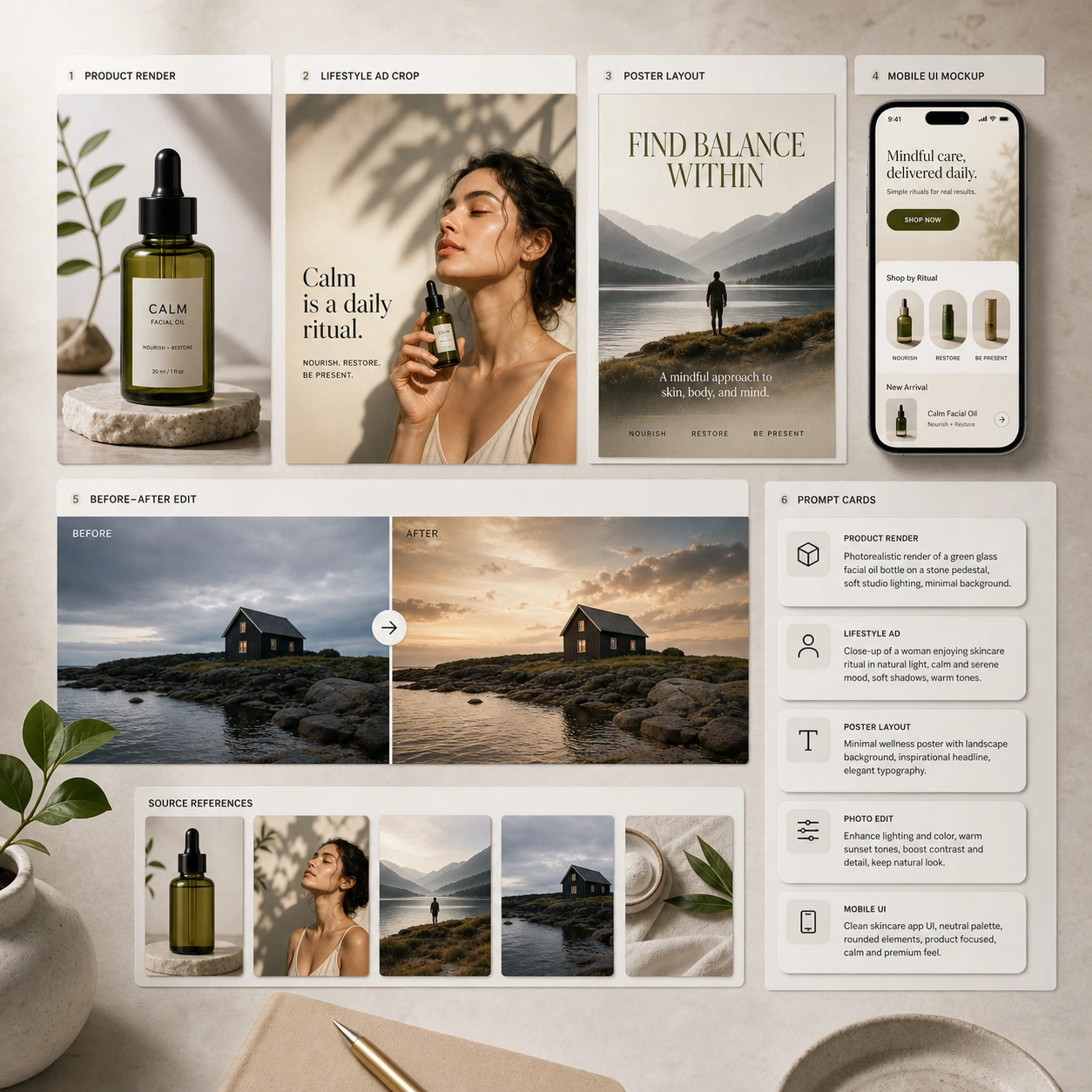
Image 2 creative workspace showing prompt cards, source images, and generated campaign assets

What Image 2 is built for

Image 2 works best when you need more than a one-shot image. Start from a text prompt or upload a source photo, then refine composition, styling, backgrounds, text placement, or subject consistency — without rebuilding from scratch.

  • Text prompts and source images together

    Use text-to-image for fresh ideas, image-to-image for revisions, or combine both for tighter control.

  • Refine the same idea across versions

    Change background, styling, composition, or text placement without rebuilding the entire concept.

Feature Highlights

Core Image 2 capabilities

Text-to-image generation, photo editing, readable text in images, and consistent outputs — the core strengths that make Image 2 useful for real creative and production work.

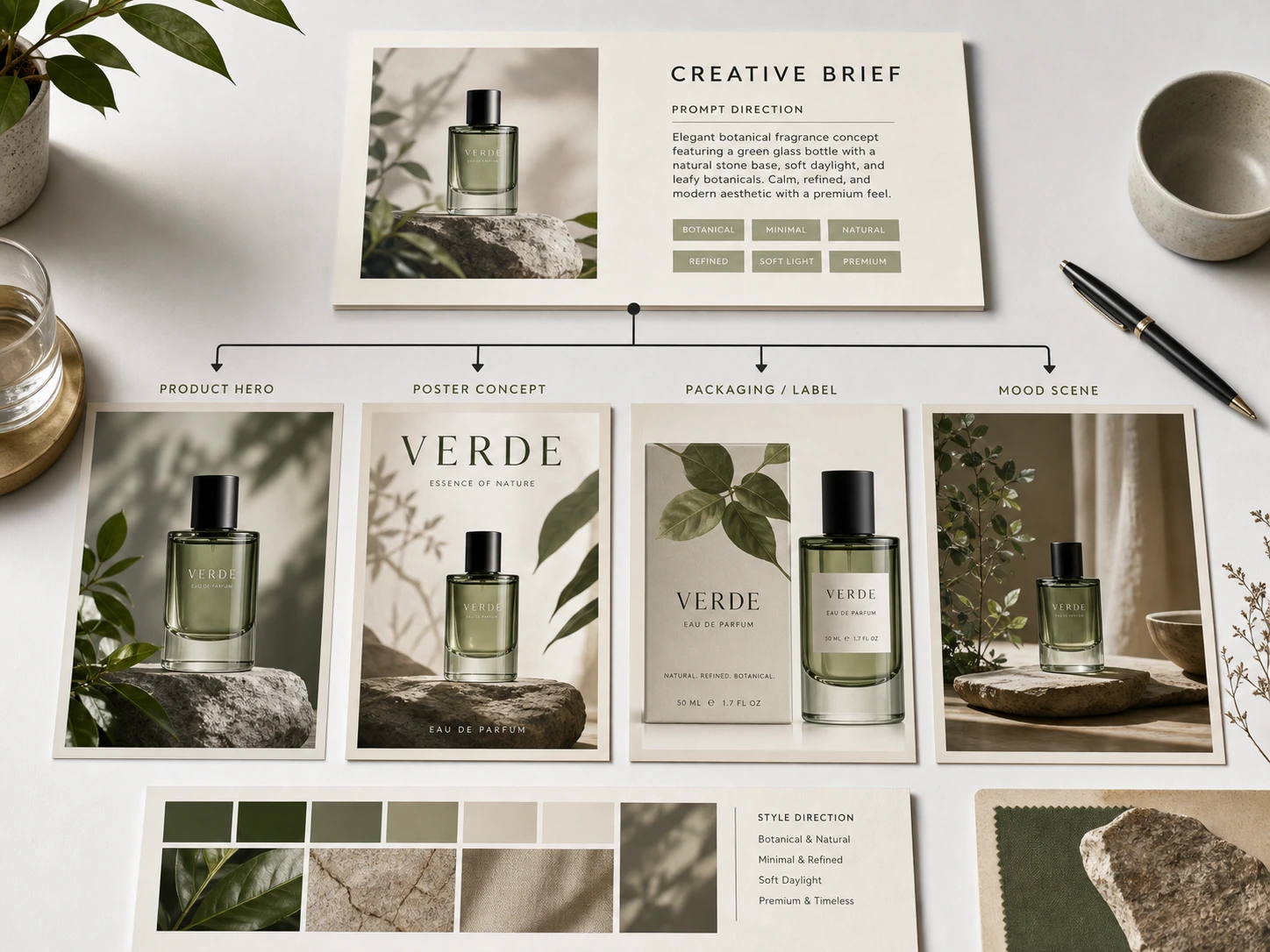
Image 2 prompt-to-image board with product, poster, and concept outputs
Reasoning

Text-to-image generation from detailed prompts

Turn plain-language prompts into product renders, ad creatives, posters, and concept visuals with better control over layout and intent.

  • Good for subject, lighting, camera, text, and composition requirements in one prompt
  • Useful for product marketing, poster design, thumbnails, and campaign concepts
  • Lets you iterate on the same idea instead of starting over each time
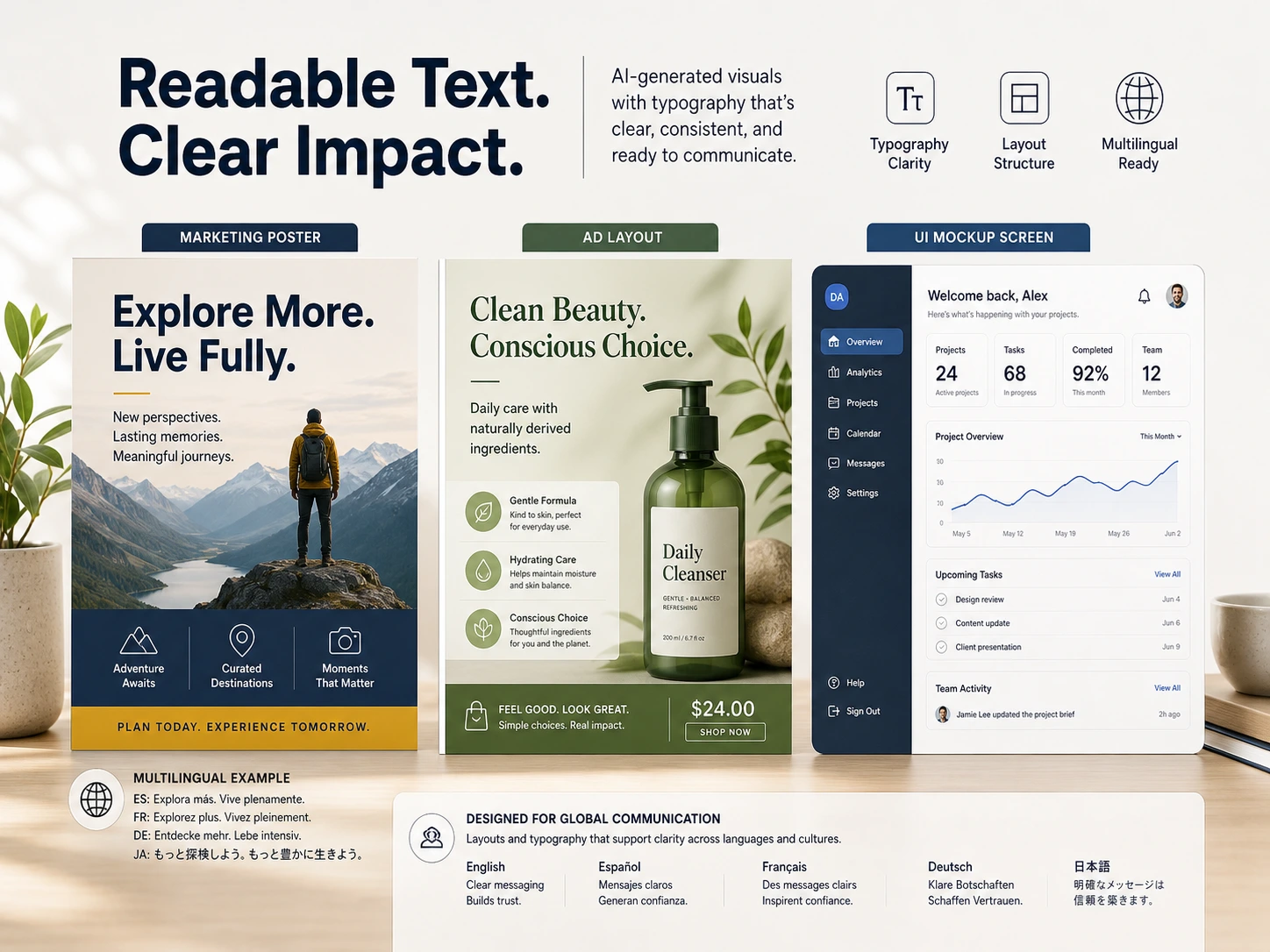
Image 2 readable text layout board for posters, ads, and UI mockups
Text

Readable text for posters, ads, and UI mockups

Generate marketing or interface visuals where headlines, labels, and supporting copy stay more reviewable.

  • Helpful for poster headlines, packaging labels, UI blocks, and promo copy
  • Reduces redraw work when a team is reviewing layout and wording
  • Supports multilingual draft visuals before final production design
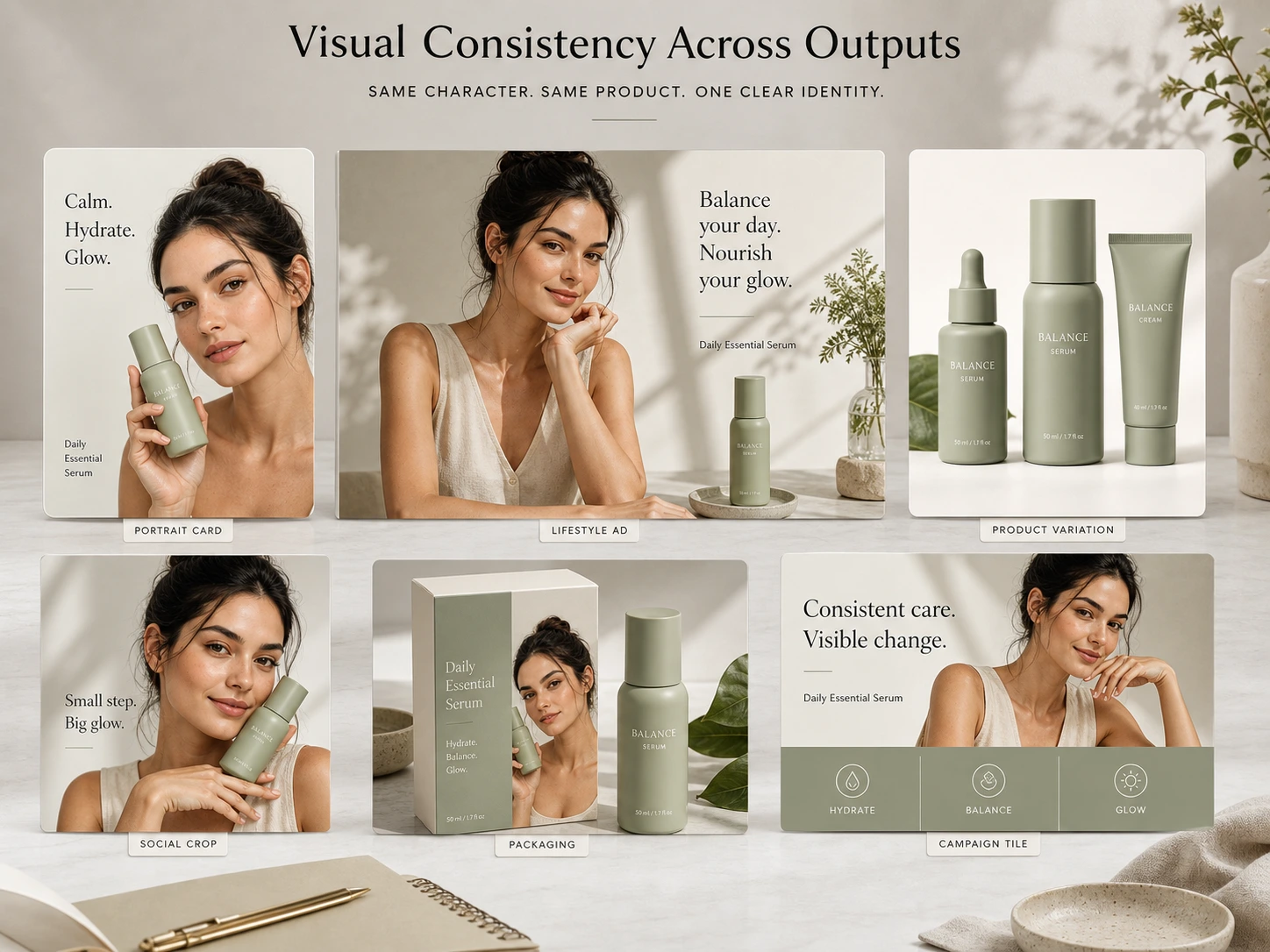
Image 2 consistency board showing recurring products and characters across variants
Consistency

Consistent products, characters, and brand visuals

Keep visual identity more stable across campaigns, colorways, scenes, and recurring assets.

  • Useful for product families, mascots, characters, and repeat campaign formats
  • Keeps recognizable details more stable across variations and edits
  • Works well for ecommerce sets, branded series, and content libraries
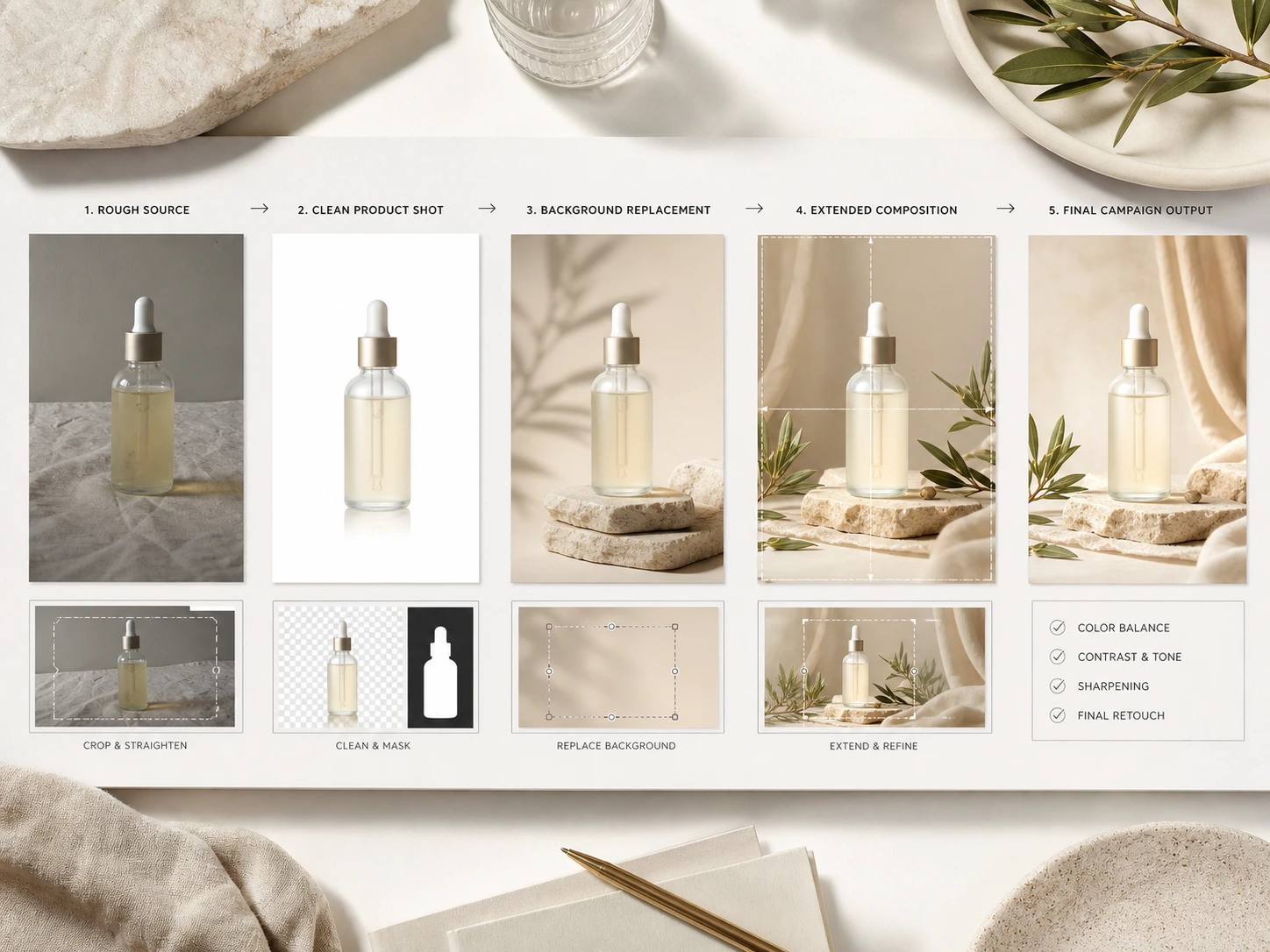
Image 2 before-and-after editing workflow from rough source to final asset
Editing

Image editing from rough source to final asset

Upload a photo or draft and use Image 2 to restyle, clean up, extend, or refine the final output.

  • Useful for background changes, product cleanup, object swaps, and style updates
  • Keeps lighting and scene logic more believable during revisions
  • Moves from rough source image to launch-ready creative more quickly
Workflow

How to use Image 2

The best prompts describe subject, style, composition, text requirements, and intended output. Here's the standard workflow.

  1. Upload or start from text

    Drop product photos, portraits, or sketches—or start blank for text-to-image runs.

  2. Describe your change clearly

    "Create a premium skincare product image on soft stone, add botanical shadows, and leave space for a headline." Clear prompts usually work best.

  3. Pick model & style

    Choose the workflow, output size, and editing approach that match your channel and review stage.

  4. Review, tweak, save

    Generate variants, refine specific issues, and export the right asset for web, ads, decks, or social.

Choose Your Image 2 Plan

Flexible subscriptions and credit packs for AI images, edits, and videos.

Your creations stay yours · Never used to train any model · Encrypted in transit and at rest

Basic

Save 50%+

Entry annual plan for light personal projects

$19$9/ month
$228$108 / year
Renews annually · Cancel anytime
50,400 credits / year
Up to 1,680 images or 288 videos

Includes

  • Annual credits delivered upfront
  • GPT Image 2 / 2.5 / 2.6 & Nano Banana 2
  • Seedance 2.5 / 2.0, Kling 3.0 & MiniMax H3
  • Text-to-image, reference editing & 4K
  • Curated style & prompt templates
  • Watermark-free downloads
  • Commercial Use License
Most Popular

Pro

Save 50%+

Best balance of 50%+ savings, lower credit cost & priority perks

$39$19/ month
$468$228 / year
Renews annually · Cancel anytime
111,600 credits / year
Up to 3,720 images or 637 videos

Includes

  • Annual credits delivered upfront
  • Everything in Basic, plus:
  • 2.2x–3x credits at a lower per-credit rate
  • Built for regular 4K & AI video workflows
  • Early roll-out of new features
  • Priority customer support
Best Value

Max

Save 50%+

Lowest per-credit rate all year for studios & heavy creators

$79$39/ month
$948$468 / year
Renews annually · Cancel anytime
237,600 credits / year
Up to 7,920 images or 1,357 videos

Includes

  • Annual credits delivered upfront
  • Everything in Pro, plus:
  • Lowest cost per credit across all plans
  • 4.7x–8x credits vs Basic for studio scale
  • First-wave Early roll-out of new features
  • Dedicated Priority customer support

Pay safely and securely with

  • Visa
  • Mastercard
  • Link
  • Apple Pay
  • Google Pay
  • American Express
  • Discover
  • JCB
  • Diners Club
image-2 reviews

image-2 Reviews From Creative Teams

How designers, marketers, product teams, and studios use image-2 for AI image generation, image editing, campaign variants, product visuals, and brand-consistent creative workflows.

image-2 helped us turn one campaign brief into product shots, posters, and social crops without losing the original direction. Review rounds became much shorter.

Lena Ortiz

Creative Director

image-2 is now part of our product launch workflow. It fills gaps when photography is delayed and helps us prepare cleaner hero images for product pages.

Omar Reyes

E-commerce Lead

image-2 gives our content team visual drafts early enough to align copy, layout, and landing page sections before production resources are booked.

Priya Sharma

Content Strategist

Answers

Image 2 AI Image Generator — FAQ

Common questions about using Image 2 for AI image generation, photo editing, and creative production workflows.

What is Image 2?

Image 2 (image-2.com) is an AI image generator and editor that supports multiple AI models including GPT Image 2. Use it to create product shots, ad creatives, posters, and branded visuals from text prompts, or edit and transform existing photos.

What can I create with Image 2?

Product images, advertising creatives, posters, social media graphics, character concepts, packaging mockups, brand campaign visuals, UI mockups, and explainer illustrations. Both text-to-image and image editing workflows are supported.

Does Image 2 offer a free trial?

New accounts receive trial credits when the welcome offer is enabled. Check your account for the available balance and expiry. Paid plans provide more credits for generation and editing; no credit card is needed to create an account.

How does Image 2 compare to other AI image generators?

Image 2 combines text-to-image generation and full photo editing in one session. It supports readable text inside visuals, consistent character identity across outputs, and multi-step refinement — features that most standalone generators handle separately.

Do I need prompt-engineering skills?

No. Clear, descriptive prompts work well. The most effective prompts explain the subject, style, composition, any text that should appear in the image, and the intended use. No technical knowledge required.

Create AI Images with Image 2

Start with a text prompt or upload a source photo and see how quickly Image 2 generates or refines a production-ready visual.